Step-by-Step Guide: Changing Your Password on Hotmail
1️⃣ Access the Account Center
- Navigate to https://account.microsoft.com/.
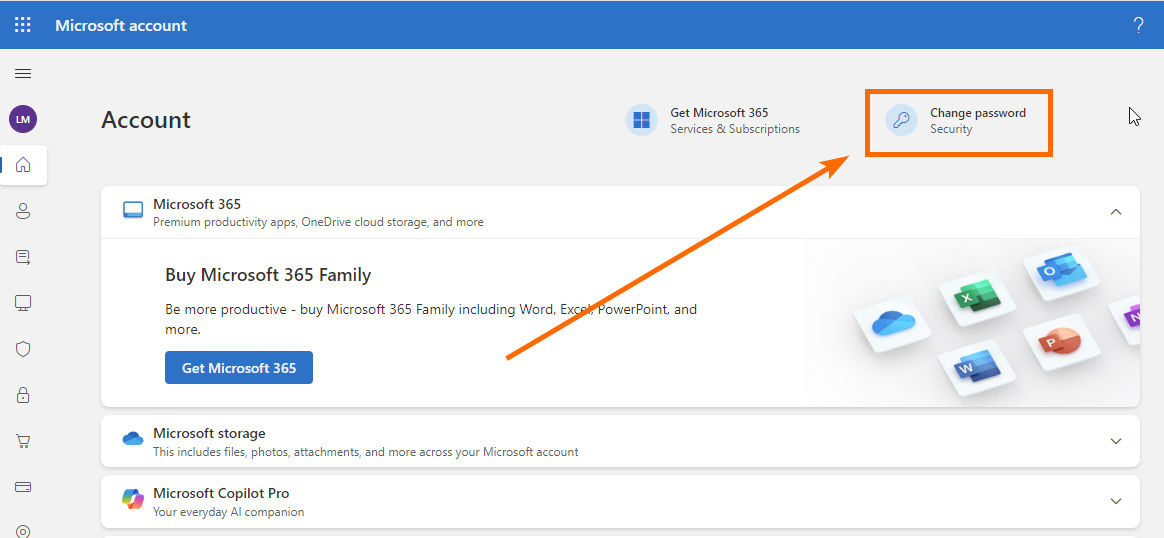
2️⃣ Open Password and Security Settings
- Click on Change password.
3️⃣ Security Check
- Enter your password and recovery email when prompted.
4️⃣ Enter Old and New Password
- Enter your password and recovery email when prompted.
- Make sure to save and backup the new password!