How to Check Your Funds
On the Ronin Dashboard
- Go to app.roninglobal.io.
- The account will be visible on the dashboard, along with the remaining budget available.
- Enter the account number in the search bar on the dashboard to filter by account.
💡 Note: The app refreshes hourly, so data may have a latency of up to an hour.
On the Ad Platform (Real-Time Balances)
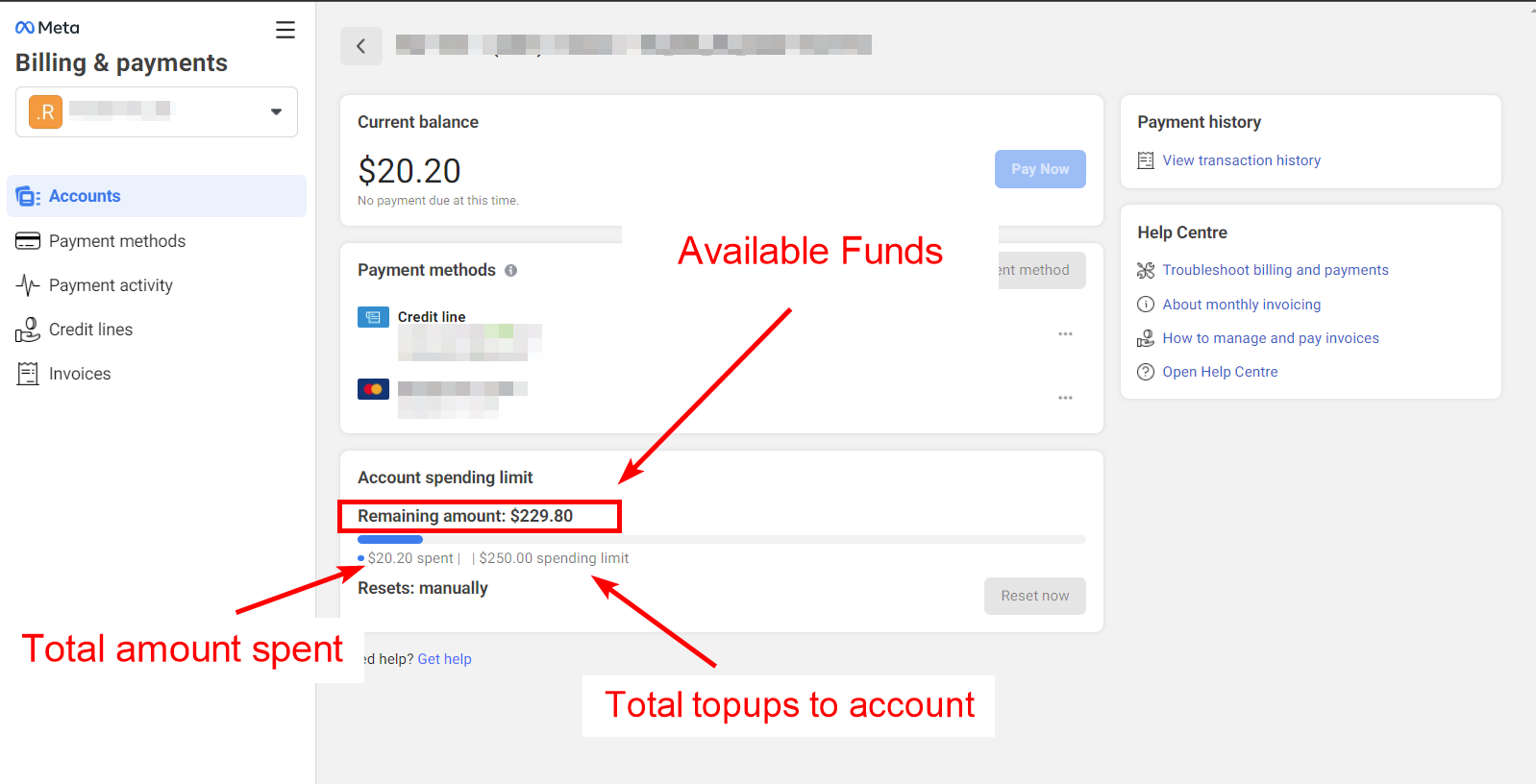
- Visit Facebook Business Billing Hub.
- Select the relevant Business Manager (BM) and ad account.
- Click on the ad account to view its budget details.
- Check the "Remaining amount" under the Account Spending Limit.
Need Help?
If you have any issues or questions, feel free to reach out—we’re here to assist you! 😊
📞 Contact Support:
🔹 Email: help@roninglobal.io
🔹 Whatsapp: https://api.whatsapp.com/send?phone=15557245111
🔹 Telegram: https://t.me/RoninAccounts_bot