After signing up for the Ronin App, you’ll want to connect with our premium support team, who are ready to assist you!
How to Join:
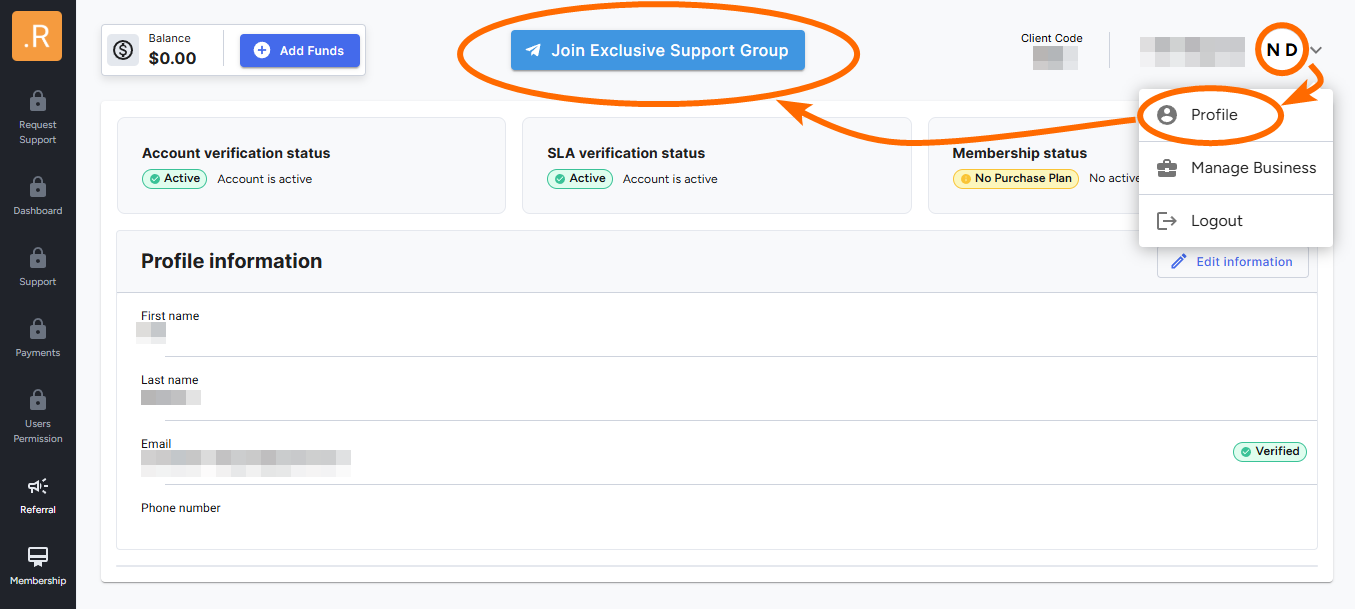
✅ Open the Ronin App
✅ Tap the "Join Exclusive Telegram Support Group" link in the top banner
What Happens Next?
By clicking the join button, an exclusive Telegram support group will be created just for you and the Ronin support team. This group is private and exclusive to each client, ensuring complete confidentiality.
Once the group is created, simply click the join button on the generated link. This will officially add you to your dedicated support group.
Adding Team Members
After joining, you’ll have the option to add additional team members—such as finance, operations, or anyone else who may need access.
That’s it! You’re now connected to direct support from Ronin, ensuring you get the assistance you need whenever you need it. 🚀